Not assessable from images. Photos cannot establish oxygenation, breathing dynamics, sobriety or impairment. Seek urgent help for severe breathlessness, chest pain, confusion or blue/grey lips; do not rely on this scan.
AI wellness companion
Your wellness. A clearer picture.
Explore personalised wellness observations using your phone's camera and the information you choose to share.
- 2 free scans
per rolling 7 days - Privacy
information - Quick
& Easy
How Vitalis works in four steps
Capture
Photos, short video or add context
Analyse
AI reviews your inputs for wellness insights
Reflect
Clear, easy-to-understand observations
Take Action
Simple, practical wellness suggestions
2 free scans per rolling 7 days when you register. Not ready to register? Try one guest scan
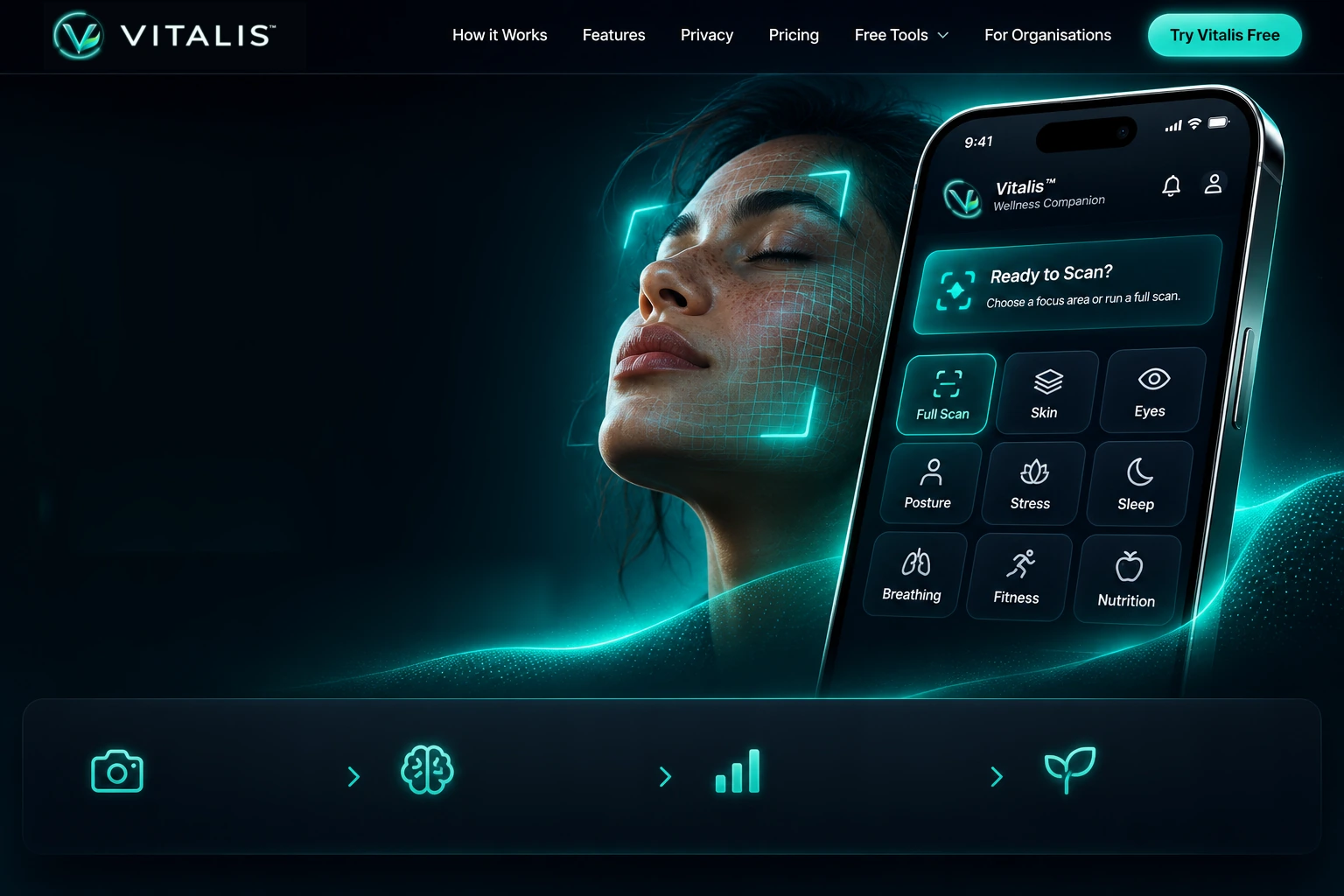
Illustrative concept artwork, not a live scanner screen; the phone tiles are not interactive. The portrait and facial grid are decorative, not health measurements. Wellness observations are not a diagnosis. Read the wellness limitations and privacy information.
Inside a report
See What Vitalis Can Show You
Discover how Vitalis turns visual observations and the information you share into easy-to-understand wellness insights.
Wellness reflection
Visible observations
- CameraLighting looked even; the face was clearly framed.
- CameraSkin around the eyes appeared slightly darker in this image.
What you shared
- YouSaid sleep had felt shorter this week.
- YouMentioned long screen days at work.
AI interpretation
AITaken together, these may simply reflect a busy, tiring week. Appearance alone cannot establish any health condition.
General wellness suggestions
- Try a consistent wind-down time for a few evenings.
- Take short screen breaks and note how you feel.
Uncertainty and limitations
Lighting, camera quality and make-up can change how things look. This is not a diagnosis or medical advice. If you are worried about your health, speak to a qualified professional.
Separate observations from interpretations
- CameraImage-based observations, not clinical measurements.
- YouContext you chose to share, such as sleep or routine.
- AIClearly labelled interpretation, with its uncertainty stated.
Illustrative and fictional, adapted from the report's observation and suggestion panels. Scores and measurements are intentionally omitted from this example. It does not establish a diagnosis or deficiency. Open each panel to explore.
Opens the guest scanner, where consent and eligibility checks still apply.
Over time
Your Wellness Journey, One Scan at a Time
Build a clearer picture of your wellness journey by reflecting on observations, habits and changes over time.
Day 1 — Your Starting Point
Capture your first observations and establish a personal reference point.
Day 7 — Reflect on Changes
Review previous observations alongside new information you share.
Day 30 — Look Back at Your Journey
Explore your available scan history and reflect on your experiences.
What this timeline does and does not mean
The days shown are an illustrative reflection pattern, not a schedule of guaranteed improvement or a promise of biological change.
History you can revisit depends on your account and plan. This timeline illustrates your own reflection; it does not demonstrate automatic comparisons, track challenge days or guarantee access to every past report.
Reflection challenge
The Vitalis 30-Day Wellness Challenge
Take part in a 30-day journey of wellness reflection. Explore observations, record how you feel and build awareness of your daily habits.
Start Your Journey
Complete your first scan and explore your observations.
Build Your Routine
Return regularly to reflect on your wellness, habits and personal experiences.
Review Your Journey
Look back at your recorded observations and experiences after 30 days.
Free registered users: 2 scans per rolling 7 days
A self-guided reflection, not a guaranteed improvement. Registering does not automatically enrol you in a tracked challenge, and there is no challenge day counter. Free accounts do not include daily scans or unlimited history.
Four steps. Clear sources.
Vitalis combines what the camera can see with what you choose to tell it, then uses AI to describe observations in plain language. Images, reported context and entered readings inform an interpretation — not a clinical measurement.
Capture
Take a photo or a short 12-second video in your browser. Optionally add how you feel — typed or spoken — and any readings you already know.
Analyse
Vitalis sends images and your context to an AI provider for processing. Visual observations and reported information can inform suggestions, but do not establish a diagnosis.
Reflect
Read plain-language observations alongside their sources and limitations. Consider them in the context of what you chose to share.
Take Action
Explore simple, general lifestyle suggestions. Premium also offers personalised plans; a scan does not replace professional advice.
Twelve scan modes, grouped honestly.
All twelve modes are included with free access. Some focus on what is visible. Others depend mostly on what you tell Vitalis, because a photo cannot answer them.
What's visible
Observations of appearance in your photo or video frames.
- Full ScanA general snapshot across visible areas
- SkinVisible texture, tone and redness
- EyesVisible eye-area appearance; not measured sleep quality
- NailsVisible nail appearance; causes are not determined
How you carry yourself
Body position and activity, with your own context.
- PostureObserved alignment and posture patterns
- FitnessGeneral activity suggestions for the day
- AllergyReported concerns and visible skin appearance; not allergy detection
Rest and pressure
Mostly built from what you tell Vitalis.
- SleepRest and recovery reflections
- StressReflections on reported pressure; cortisol and causes are not inferred
Answered by limits
Available, but a photo cannot assess the core question — so Vitalis says so.
- BreathingNot assessable from images
- Stress + SobrietySobriety and impairment are not assessed
- NutritionNutrient status is not determined from appearance
Sometimes the honest answer is “not from a photo.”
We won't show you an invented person or a made-up score. These are the exact limitation messages the Vitalis safety layer returns when a question goes beyond what an image can show.
Nutrient levels and nutritional status cannot be determined from appearance. Reported symptoms and test results are unverified user context, not diagnoses measured by this scan. Discuss persistent concerns with a clinician or registered dietitian; do not start supplements based on a photo.
Cause cannot be determined from this image
Label: real application limitation output, quoted verbatim from Vitalis's scan safety rules. Not a user's result, not a score, and not generated for this page.
A wellness companion. Not a diagnosis.
Vitalis is not a medical device. Scores are not clinical measurements. Camera-based estimates are experimental and are not clinical sensors.
It can
- Describe visible appearance in your photo or video frames
- Reflect back what you report, clearly labelled as unverified
- Offer general lifestyle suggestions and a plan for the day
- Help you notice patterns across your own scans over time
It cannot
- Diagnose, treat or rule out any condition
- Assess oxygen levels, breathing, sobriety or fitness to drive or work
- Determine nutrient deficiencies, anaemia or hydration from appearance
- Infer cortisol levels or the causes of stress
- Reassure you that nothing is wrong
What happens to what you share.
Plainly stated, without promises we can't keep. Vitalis is not anonymous and does not offer zero data retention.
The full detail lives in the Privacy Policy. Questions: hello@meetvitalis.com.
-
You control permissions
Camera and microphone access requires browser permission. You can manage or revoke those permissions in your browser settings.
-
Processed on servers by AI
Photos and video frames are sent to Vitalis and Google Gemini to produce your scan. Vitalis does not save raw camera images in scan history. AI-provider retention is governed by the applicable provider terms.
-
Derived history is retained
Results, measurements, history and optional generated illustrations may be stored on our servers. Clearing your browser does not delete server records.
-
Analytics are optional
Optional analytics depend on your choice. We do not sell your data.
Start free. Stay if it helps.
Every scan mode and the full interpretation of your current scan are included free. Premium adds continuity. Emergency & Safety guidance stays free and is separate from scan modes.
With free access by email. Guests can try one scan without an email.
- 2 scans per rolling 7 days
- All 12 scan modes
- Full interpretation of your current scan
For people who want to follow their wellness over time.
- Unlimited scans
- Timed personalised plans
- Extended history and trends
- Deeper cross-scan analysis
The same Premium features, billed once a year.
Save approximately 49% with annual billing.
- Everything in Premium monthly
- One annual payment
Proposed new-customer launch prices in GBP, not yet approved for live billing. Existing subscription renewals are unchanged. Premium is purchased inside the Vitalis app. See Terms & Conditions.
Built in Manchester, by someone who needed it.
Vitalis was built by Esdras Solomon Phoenix, founder of Sully'z World and a bus driver from Manchester, as a way for busy people to check in with their wellness without a wearable or an appointment.
- Product
- Vitalis™, a web-based wellness companion
- Made by
- Sully'z World, UK
- Runs on
- Your browser. No download needed.
- Status
- General wellness. Not a medical device.
Brand and marketing films. They are illustrative and are not scan results.
Start with one honest scan.
Request free access with your email to open the dashboard. Free gives you 2 scans in a rolling 7-day period, no card required, and no separate in-app account setup before scanning.
Get free access
We'll open your dashboard straight away.
By continuing you agree to the Terms. See how data is handled in the Privacy Policy.
You're in.
Opening your wellness dashboard…
Prefer not to share an email yet? Try one guest scan.